

I started charting from home on a hand-me-down wired keyboard I had dug out of a closet. The cable was just long enough to yank my laptop forward whenever I reached for my coffee. Three USB plugs lived in the back of my computer, the mouse cord kinked against the edge of the desk, and every evening after a twelve-hour shift I sat down to that same cable chaos and felt my shoulders tighten before I even opened a single chart. Switching to a wireless combo was the first real upgrade I made to this space, and it cost less than a nice dinner out.
The Logitech MK345 is the combo I landed on, and after over 41,000 reviews it is not hard to see why so many home office workers choose it. Below are the ten reasons I think a wireless keyboard and mouse combo is the single best first upgrade for a cluttered, uncomfortable home desk, with the MK345 as the specific example for each point.
Your desk should not feel like a cable management project just to type an email.
The Logitech MK345 pairs a full-size keyboard with a cushioned palm rest and a comfortable wireless mouse in one affordable package. One USB nano receiver connects both. Check current pricing before it changes.
Amazon Check Today's Price on Amazon →You Eliminate the Cable Tangle That Quietly Stresses You Out
Two USB cables for a keyboard and mouse sounds minor until you realize those cables define how your entire desk feels. They limit where you can place things, they bunch up under your hands, and they create a low-grade visual disorder that makes a small desk feel even smaller. The MK345 uses a single USB nano receiver, barely the size of a thumbnail, for both devices. Pull those two cables, plug in that one receiver, and the desk surface opens up in a way that is almost embarrassing how much it improves your mood when you sit down.
You Can Actually Move Your Keyboard Without Pulling Something
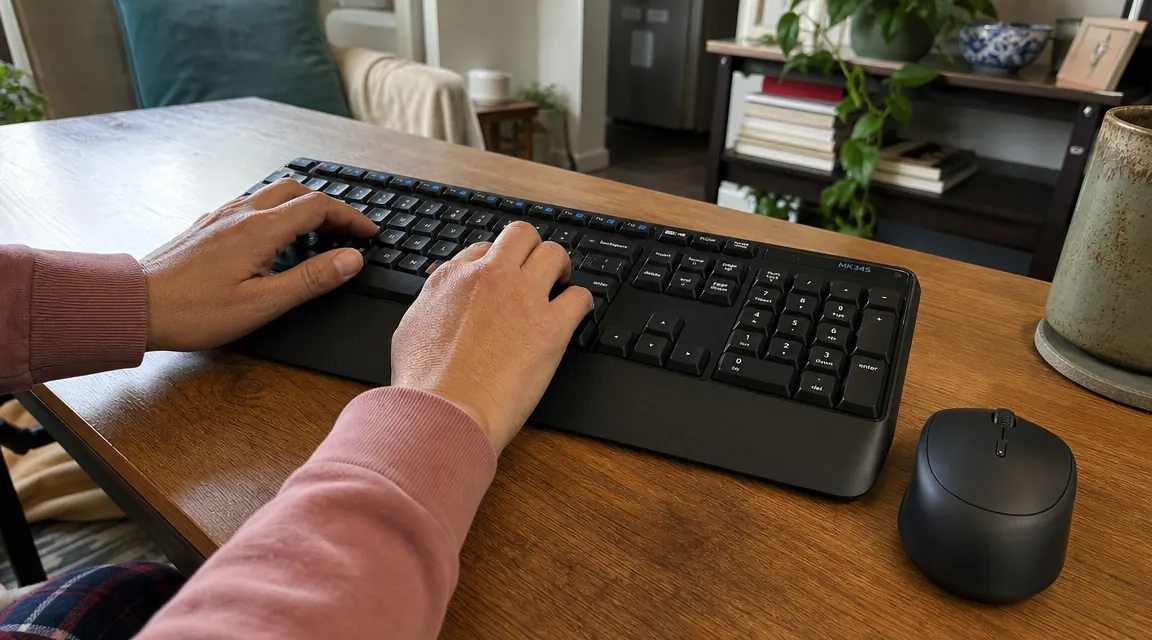
With a wired keyboard, shifting your laptop slightly to the left means the keyboard cable goes taut or the whole setup slides. The MK345 has a 2.4 GHz wireless connection rated to about 33 feet. In practice that means you can push it six inches to make room for a notebook, pull it back to your lap on a hard call, or slide it to the side when you need full desk space, and nothing fights you. That freedom of movement is something you only appreciate once you have it.
The Built-In Palm Rest Reduces Wrist Fatigue on Long Sessions
Most wireless combos at this price strip out every comfort feature to hit their number. The MK345 is the exception. It ships with a cushioned palm rest that runs the full width of the keyboard. If you type for two or three hours at a stretch, that rest keeps your wrists in a neutral position instead of hovering or dropping off the edge of the keyboard tray. It is not a medical-grade ergonomic fix, but it is meaningfully better than typing on a bare deck with nothing supporting your hands.
Battery Life Is Long Enough That You Forget It Exists
Battery anxiety with wireless gear is real. The MK345 keyboard runs up to 36 months on two AA batteries, and the mouse runs up to 12 months on a single AA. These are not marketing estimates I am repeating blindly. In two-plus years of daily use, I have swapped the keyboard batteries once. The mouse gets a new battery roughly every six months. When a device runs this long between swaps, you stop thinking about it as something that can fail on you mid-document.
Setup Takes About 90 Seconds, No Software Required
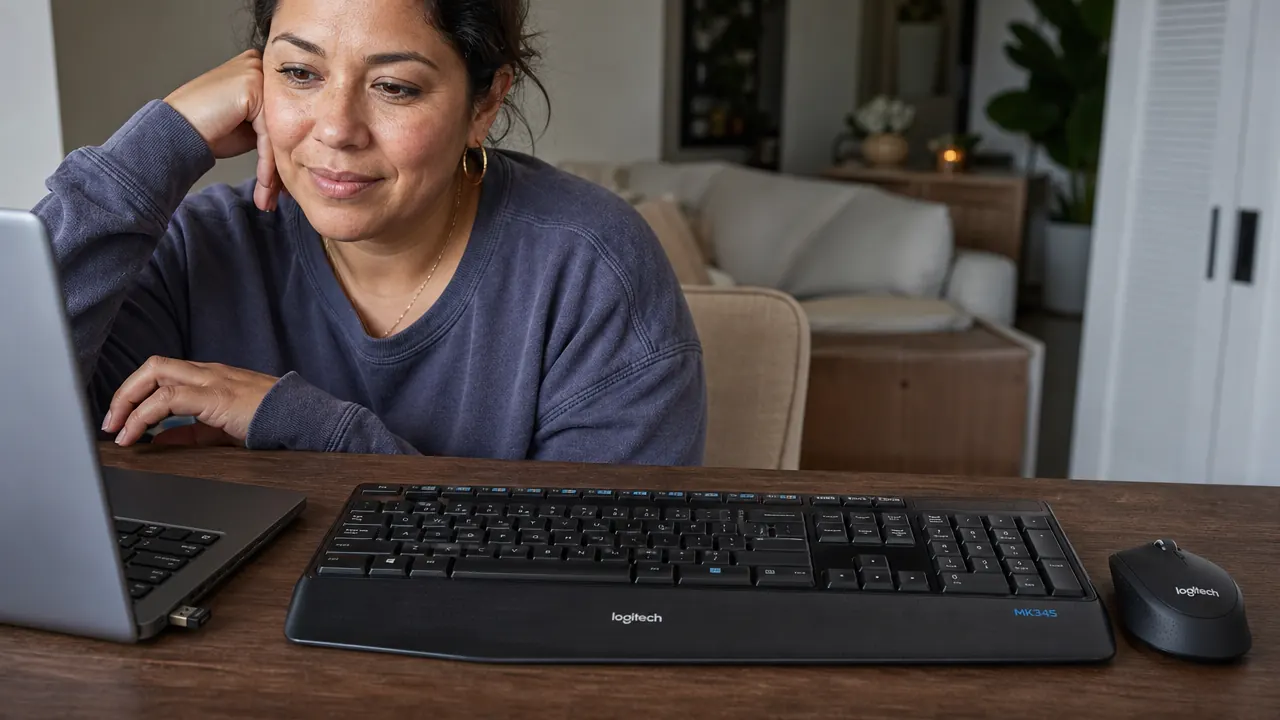
Plug the nano receiver into a USB port and the keyboard and mouse are ready. No driver download. No pairing sequence. No app to configure. This matters more than it sounds if you are setting up a home office between shifts or on the only free hour of the week. The MK345 is compatible with Windows and Chrome OS out of the box. Mac users can still type on it, though a few key labels differ. If your machine has a USB-A port, it works.
A Full-Size Layout Means You Do Not Have to Relearn Where the Keys Are
Compact keyboards save desk space but they move the keys around, and after a twelve-hour shift the last thing you want is to hunt for the Delete key or find that the number pad has been stripped out. The MK345 is a proper full-size keyboard with a number pad on the right side, standard key spacing, and function keys across the top. If you do any data entry, scheduling, or financial tracking as part of your remote work, that number pad alone is worth the purchase.
The Mouse Is Sized for All-Day Right-Hand Comfort, Not Tiny Laptop Pads
The MK345 mouse has a contoured right-hand shape with textured grips on both sides. It is larger than most budget mice, which means your hand wraps around it properly rather than pinching. After a full day of mousing around documents, spreadsheets, and video calls, the difference between a mouse that fits your hand and one that does not shows up as fatigue across the palm and forearm. It is a quiet scroll wheel and two side buttons, nothing fancy, but the fit is genuinely good for extended use.

It Works From Your Lap, a Couch, or a Kitchen Table
Some home office days are not desk days. When you need to move to the couch because a repair person is coming, or you are spending an hour reviewing documents at the kitchen table, a wireless combo travels with you. The 2.4 GHz signal easily reaches across a room. The receiver stays in your laptop port. The whole setup picks up and moves in one motion. This flexibility is something you cannot get from a keyboard that is physically tethered to your machine.
Buying a Combo Instead of Separate Pieces Saves Money and a Compatibility Headache
If you bought a wireless keyboard and a wireless mouse separately at similar quality levels, you would spend close to double and end up with two receivers occupying two USB ports. A combo gives you both devices designed to work together, uses one port, and costs less. For a home office on a tight budget, that math is easy. The MK345 comes in consistently at a low price point and regularly lands on sale. It is the kind of purchase where you feel like you got more than you paid for rather than hoping you did not overpay.
It Makes Your Desk Look Like a Place You Want to Sit Down
This last one sounds soft but it is not. When your desk is tidy and cable-free, you are more likely to actually use it. You sit down with less resistance. You start work a little faster. You feel like the space is set up for you rather than something you are tolerating. After years of charting at a kitchen table with cables everywhere and no proper setup, having a clean desk with a keyboard and mouse that work without any fuss is the kind of small thing that becomes part of why you actually show up for your side work each evening instead of skipping it.
What I Would Skip
The MK345 is not the right pick for everyone. If you are a heavy gamer or you do fast-paced work where mouse precision at high DPI matters, you will want a higher-end optical mouse. The MK345 mouse tracks well for document work, web browsing, and video calls, but it tops out at 1000 DPI, which some demanding users will find limiting. The keyboard also uses membrane switches, not mechanical, so if you want a tactile click with each keystroke you will need to look at a different board. For everyday home office typing and charting, neither of these is a real problem. For specialized use cases, they are worth knowing upfront.
Pulling two USB cables out of the back of my laptop and replacing them with one tiny receiver was the fastest ten-minute desk upgrade I have ever made. The desk just breathed.
If the cables on your desk are the first thing you notice when you sit down, this is the fix.
The Logitech MK345 is a full-size wireless keyboard with a palm rest plus a contoured wireless mouse, connected via a single nano receiver. Over 41,000 Amazon reviews. Budget-friendly. Check today's price and confirm it is in stock before placing your order.
Amazon Check Today's Price on Amazon →