
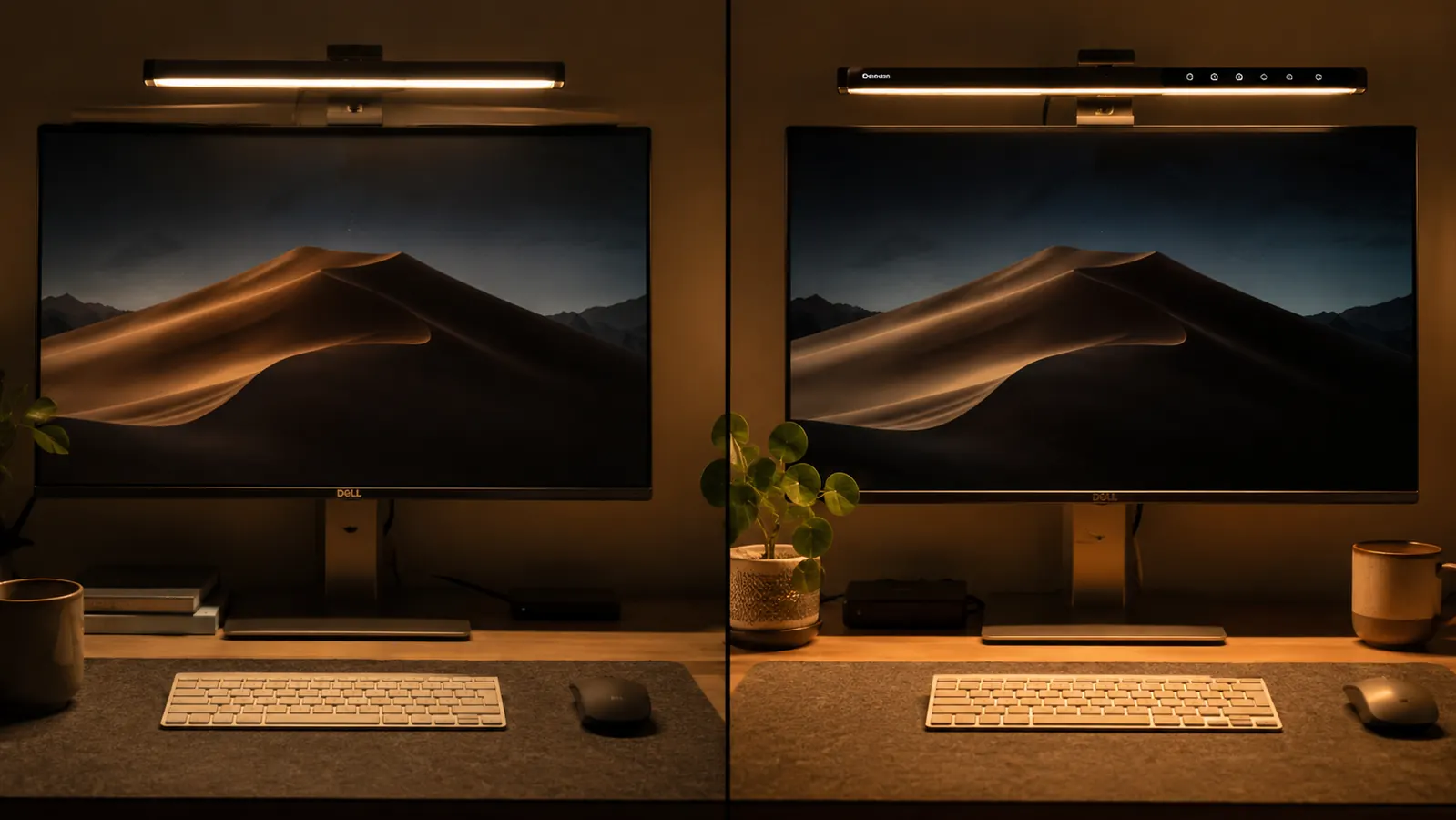
If your eyes are burning by 9 PM after a full shift and then two more hours at your home desk, you are probably dealing with the same lighting problem I had for longer than I should have. My overhead kitchen light was casting glare straight onto my monitor, and every desk lamp I tried either pointed into my eyes or threw a yellow puddle that made everything look tired. I finally started researching monitor light bars and hit the same wall everyone hits: the Quntis sits in the budget range and the BenQ ScreenBar sits in the premium range, and almost every comparison article online is written by someone who has never actually worked a night shift in front of a screen.
I have been using the Quntis monitor light bar for well over a year during evening charting sessions after work. I also spent several weeks with the BenQ ScreenBar at a friend's dedicated home office while she was traveling. This comparison is written from that real-use context, with a budget-conscious eye, because spending significantly more on a desk lamp requires an actual reason backed by actual experience, not a spec sheet.
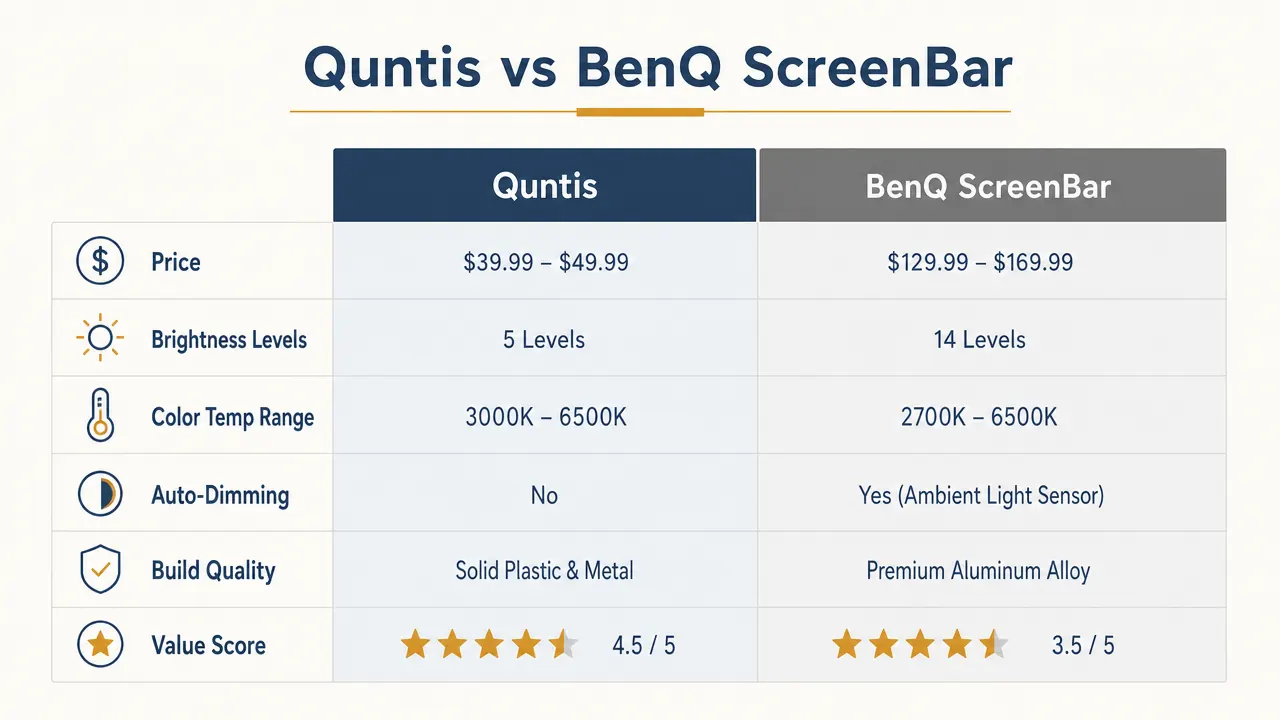
| Feature | Quntis Monitor Lamp | BenQ ScreenBar |
|---|---|---|
| Price (approx.) | Mid-range option | Premium tier and up |
| Color Temperature Range | 2700K–6500K (warm to cool) | 2700K–6500K (warm to cool) |
| Brightness Steps | 5 levels | 8 levels |
| Auto-Dimming Sensor | Yes (ambient light sensor) | Yes (ambient light sensor) |
| Touch Controls | Touch bar on lamp body | Touch bar on lamp body |
| USB Power | USB-A | USB-A |
| Build Material | Plastic with matte finish | Aluminum housing |
| Clip Style | Balanced counterweight | Balanced counterweight |
| Screen Glare | Minimal (asymmetric lens) | Minimal (asymmetric lens) |
| Weight | ~230g | ~530g |
| Warranty | Not stated (Amazon return window) | 2 years (BenQ direct) |
| Value Score | 9.2 / 10 | 6.8 / 10 |
Where the Quntis Wins
The first and most obvious win is price. At a mid-range price point, the Quntis costs less than a single tank of gas, and it does the core job just as well as the ScreenBar in the areas that matter most for eye strain: asymmetric downward light projection and color temperature range. Both lamps use an asymmetric lens that throws light down onto your desk and keyboard while keeping the beam away from your monitor face. That is the entire reason to buy a monitor bar instead of a regular lamp, and the Quntis executes it correctly.
The color temperature range is identical on paper, 2700K (warm candlelight) through 6500K (crisp daylight). In practice, the Quntis warm end looks genuinely warm, which matters for evening sessions when you want to wind down your nervous system rather than keep it running on blue light. I keep mine around 3000K for the last two hours of my charting shift and it has made a real difference in how quickly I fall asleep afterward. The ScreenBar's warm end achieves roughly the same result, so paying significantly more for identical color performance makes no sense unless you have a specific reason beyond what both lamps already deliver.
Weight is another area where the Quntis quietly wins. At roughly 230 grams it sits on thin monitors without pulling them forward. The ScreenBar's aluminum housing pushes it past 500 grams, and on a lighter monitor or a monitor that is not tightly bolted to an arm, you will feel that difference as a slight forward lean on the panel. It is not dangerous, but it is a daily annoyance that the Quntis simply does not create.
Your eyes should not hurt by 9 PM. The Quntis fixes that affordably.
Over 13,000 reviews. Warm-to-cool color range. No glare on your screen. This is the lighting upgrade that changes your evenings.
Amazon Check Today's Price on Amazon →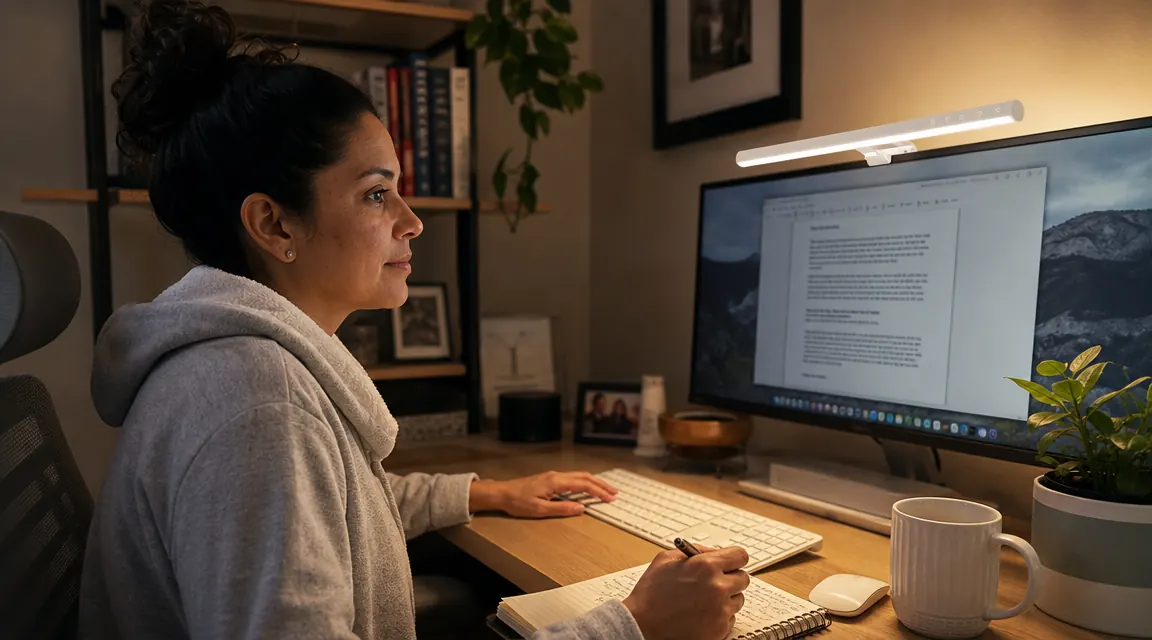
Where the BenQ ScreenBar Wins
The BenQ ScreenBar does have real advantages, and I want to be honest about them because this is not a pile-on. The build quality is noticeably better. The aluminum housing feels solid in a way the plastic Quntis does not, and the touch controls on the ScreenBar are more precise, with finer incremental adjustments across eight brightness steps compared to five. If you cycle through brightness levels constantly throughout the day because your natural light shifts significantly, that extra granularity will feel like a real improvement rather than a marginal one.
The ScreenBar also carries a two-year warranty backed by BenQ's support team, while the Quntis relies on the standard Amazon return window. If you are building a long-term desk setup and want genuine peace of mind on a piece of hardware you will use every day for five or six years, that warranty gap is worth factoring in. And for people in dedicated home offices where the desk is on camera during professional video calls, the aluminum finish looks noticeably more polished in a way that plastic simply cannot replicate.
Both lamps use the same asymmetric lens physics that keeps light off your screen. The Quntis does that job for a third of the price. The other $70 buys aluminum, a longer warranty, and eight brightness steps instead of five.
Light Quality and Auto-Dimming: The Tests That Actually Matter
The single question that matters most for a monitor light bar is whether it reduces eye strain during long desk sessions. Eye strain from screen work typically comes from one of three sources: glare bouncing off your monitor from a mispositioned light, harsh blue-white overhead light that keeps your nervous system wired past midnight, or a dim surrounding workspace that forces your eyes to constantly readjust between a bright monitor and near-darkness. A properly designed monitor light bar solves all three.
The Quntis handles all three correctly. The asymmetric lens sends the beam forward and down, not back at the screen surface. The warm color end addresses the blue-light issue without requiring a separate app or filter. And the auto-dimming sensor continuously reads ambient room light and adjusts output so the lamp brightness tracks your environment rather than fighting it. I have run it in a room lit only by a distant floor lamp and it keeps the balance feeling natural and easy on the eyes rather than clinical or harsh.
The BenQ ScreenBar handles all three correctly too, and its auto-dimming sensor is calibrated slightly more aggressively, which some people prefer and others find makes the light pulse slightly when clouds pass a window during the day. The difference in actual eye comfort between the two lamps, based on my experience with both in similar low-light evening conditions, is not something you will feel. If your eyes are burning after two hours at the desk, switching from the Quntis to the ScreenBar will not solve it. The Quntis is already solving it.
Setup and Daily Use
Both lamps clip to the top edge of your monitor using a weighted counterbalance. Setup is about three minutes total. Plug the USB-A cable into a port on your monitor or a USB hub, clip the bar on the back edge of the screen, and you are done. No software, no app, no pairing. The Quntis touch bar runs the full length of the lamp body and registers reliably. I have dropped mine twice, once off a monitor that was bumped during a call and once when I knocked it reaching for a water bottle, and it survived both drops with nothing worse than a small scuff on the clip housing.
One practical note: the Quntis cable runs about 1.5 meters, which reaches a floor-standing tower from a 27-inch monitor without strain. The ScreenBar's cable is slightly shorter. Neither lamp draws enough current to need a dedicated wall adapter. A standard USB port at 5V and 500mA handles both comfortably.
Who Should Buy the Quntis
The Quntis is the right choice for most home office workers. If you chart after a long shift, handle evening calls, study at a corner desk, or just need your workspace to stop making your eyes ache by 9 PM, the Quntis does everything you need at a fraction of the ScreenBar's price. It is also the smart first purchase if you have never owned a monitor light bar and want to verify the concept works for your specific setup before committing to a premium version. Spending less to test whether it transforms your evenings is entirely sensible. Spending more before you know if you will even use it regularly is not.
If you want to go deeper on how the Quntis performs after a full year of nightly use, the long-term review covers everything including auto-dimming quirks, how the touch controls hold up over time, and whether the clamp grip changes on different monitor thicknesses. And if you are still deciding whether a monitor light bar is the right fix for your eye strain situation at all, the guide on ten reasons monitor light bars outperform desk lamps breaks down the mechanics in plain terms.

Who Should Buy the BenQ ScreenBar
The ScreenBar makes sense in a specific set of situations. If your desk is frequently on camera during professional video calls and the aluminum finish matters for how your setup reads on screen, that is a legitimate reason. If you want eight distinct brightness increments because your natural light environment changes dramatically across a long workday, those extra steps will feel useful. And if you want a manufacturer warranty and plan to keep the exact same desk configuration for five or more years, BenQ's two-year direct coverage is real insurance the Quntis cannot offer. Outside of those conditions, the ScreenBar is charging a premium for materials and refinements that do not translate into a meaningfully better lighting experience at your desk.
The Honest Verdict
This is one of those comparisons where the budget option genuinely holds its own because the underlying technology is not complicated. An asymmetric LED lens, a USB power source, and a counterweight clip are not innovations that require an aluminum chassis to work properly. The Quntis does all of it correctly, has 13,000 reviews from real buyers backing that up, and leaves significant money in your pocket compared to the ScreenBar. The BenQ ScreenBar is a well-made premium product, but the premium is mostly tactile and cosmetic rather than functional. For real evening desk work in a home office on a real budget, the Quntis is the lamp I use every night and the one I recommend without hesitation.
The Quntis is the lamp I reach for every evening. Here is why 13,000 buyers agree.
Warm color setting for late-night sessions. Asymmetric lens keeps glare off your screen. Auto-dimming sensor adjusts for your room light. Costs about the same as two takeout coffees a week.
Amazon Check Today's Price on Amazon →