
I bought my standing desk in January of last year. By February it was stuck at sitting height and I had basically forgotten the motor existed. Sound familiar? You are not lazy and you are not uniquely bad at habits. The problem is that most people approach a standing desk the way they approach a gym membership, full of optimism on day one and no real system behind it. After twelve-hour nursing shifts I did not have the bandwidth to remember to stand. What finally worked was treating the desk the same way I treat a medication schedule: a fixed protocol, not a vibe.
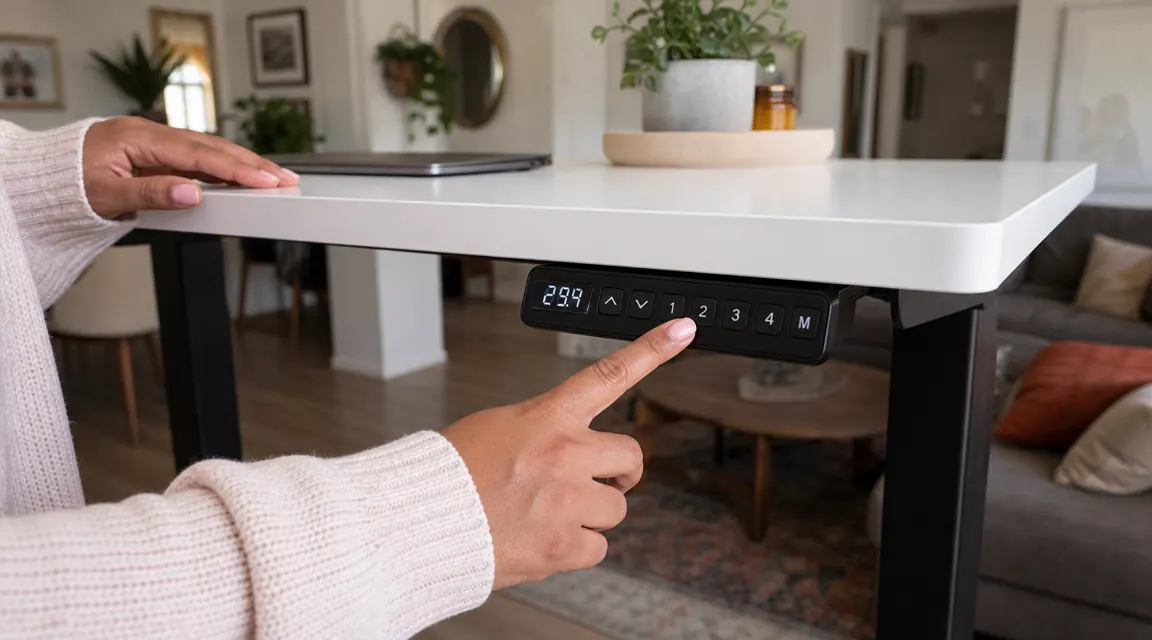
The ErGear electric standing desk with its four memory presets is the tool that made the protocol actually run. When the desk remembers your exact sitting height and your standing height, pressing a single button instead of hand-cranking removes just enough friction to keep the habit alive on your worst days. At current price it costs less than two months of a gym membership you will also stop using. This guide walks through five steps, in order, so your routine survives past week three.
Your back does not want to wait another month for this.
The ErGear electric standing desk adjusts from 28.3 to 45.7 inches, fits a 48x24 inch work surface, has four memory presets, and ships with a 5-year motor warranty. Over 11,000 reviews and a 4.5-star rating back that up.
Amazon Check Today's Price on Amazon →Step 1: Set Your Two Heights Before Anything Else
The single biggest reason standing desk routines die in week two is incorrect height setup. People stand at a surface that is an inch too low, which rounds the shoulders, or two inches too high, which raises the wrists and causes fatigue within minutes. Neither feels good, so standing feels like punishment rather than relief.
For sitting height, sit in your normal chair, let your arms hang naturally at your sides, then bend your elbows to ninety degrees. The desk surface should meet your forearms there. For most adults in a standard chair that lands between 28 and 30 inches. For standing height, stand straight in the shoes you actually wear at your desk, then do the same elbow check. Most people land between 40 and 44 inches. On the ErGear, dial in each height, then save it to preset 1 (sit) and preset 2 (stand). You will never hand-crank again. Getting both heights right the first time means standing will feel good from day one rather than something you have to push through.
If you share the desk with a partner or a taller family member, use preset 3 and 4 for their heights. The ErGear holds four independent memory slots, so both of you can share the desk without resetting anything by hand each session.
Step 2: Start With a 50-10 Schedule, Not a 30-30
Most standing desk guides tell you to aim for 50 percent sitting and 50 percent standing right away. For someone who has been sitting eight to ten hours a day for years, that is too aggressive. Your feet, calves, and lower back are not conditioned for it. You will be sore by day three and resentful by day five.
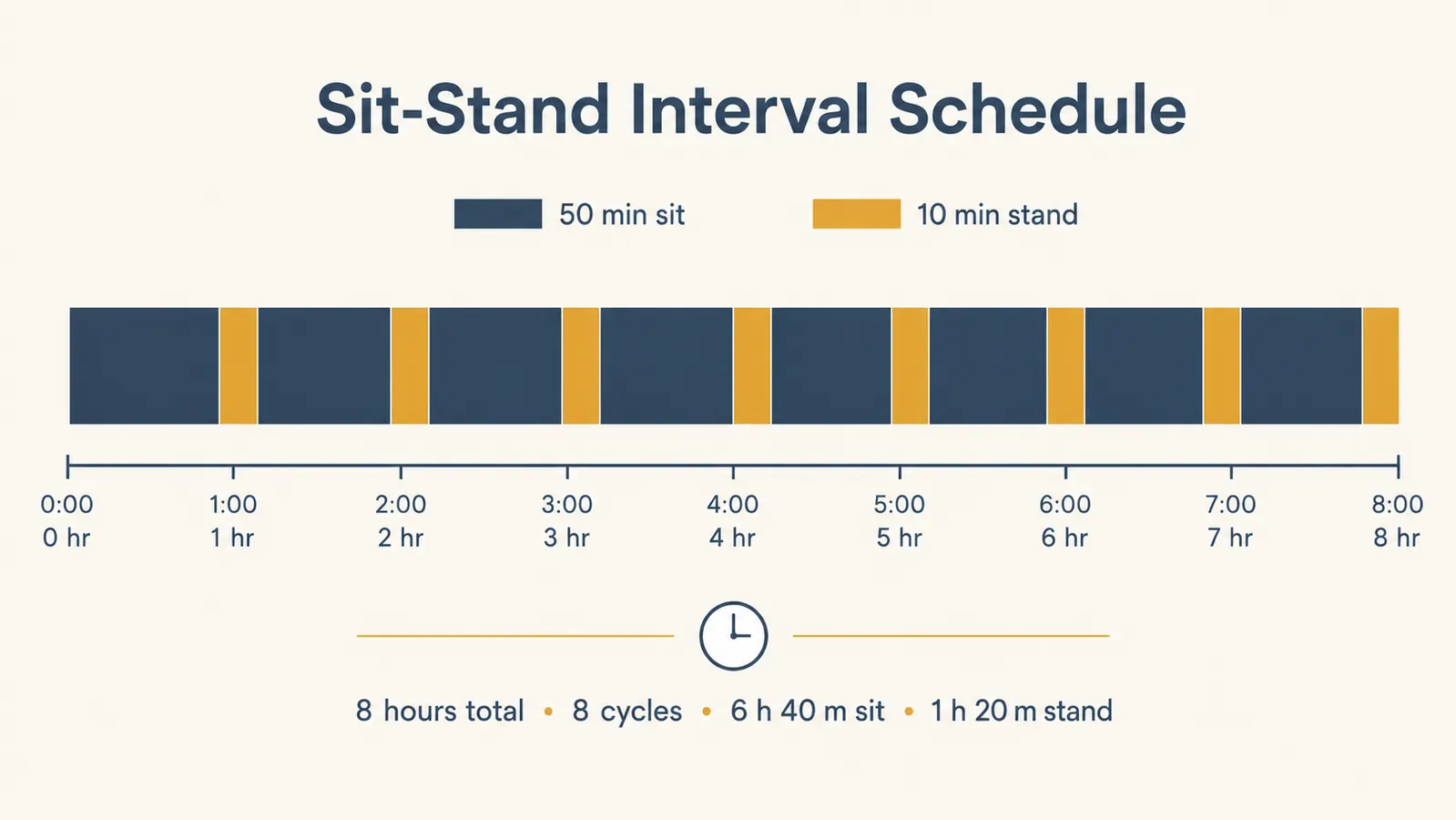
A much gentler and more durable on-ramp is the 50-10 schedule: fifty minutes seated, ten minutes standing. That is a single button press at the end of each hour. You are on your feet for less than 17 percent of your workday in week one. In week three, move to 45-15. By month two most people naturally drift toward 40-20 without thinking about it because standing starts to feel like a break rather than a chore. The chart below shows what a full eight-hour day looks like under this schedule.
The 50-10 schedule felt almost embarrassingly easy at first. That is exactly the point. Easy is how habits survive past the first month.
Step 3: Anchor Standing Time to a Specific Trigger
Behavior research is consistent on this: habits stick when they are attached to an existing cue, not to willpower or a vague intention to stand more. A free-floating goal like 'I will stand for two hours today' almost always loses to whatever you are in the middle of. You need a trigger that fires automatically.
The most reliable triggers for home office workers are transition moments: the start of a video call, the end of a call, a calendar notification going off, or the act of refilling your coffee. Pick one that already happens predictably in your day. My trigger is the moment a video meeting ends. The call ends, I press the button on the ErGear, the desk rises in about three seconds, and I stay standing while I process my notes. By the time I sit back down I have done eight to twelve minutes without trying. After a few weeks the behavior is automatic. You stop thinking about it the same way you stop thinking about buckling a seatbelt.
If your work is less meeting-heavy, a simple phone timer labeled 'desk up' set on repeat every fifty minutes works just as well. The key is that the trigger lives outside your head so you are not relying on remembering to do it.

Step 4: Set Up Your Standing Surface So It Stays Comfortable
Even a correctly-measured standing height will wear you out fast if the floor and the surface are not set up right. Two additions make a bigger difference than most people expect. First: an anti-fatigue mat. This is not optional. Standing on a hard floor for ten minutes is fine. Standing on a hard floor for ten minutes repeatedly over the course of six hours causes plantar fatigue and makes your feet the reason you stop standing. A mat with a slight cushion redistributes pressure and lets you shift your weight naturally. You do not need an expensive one.
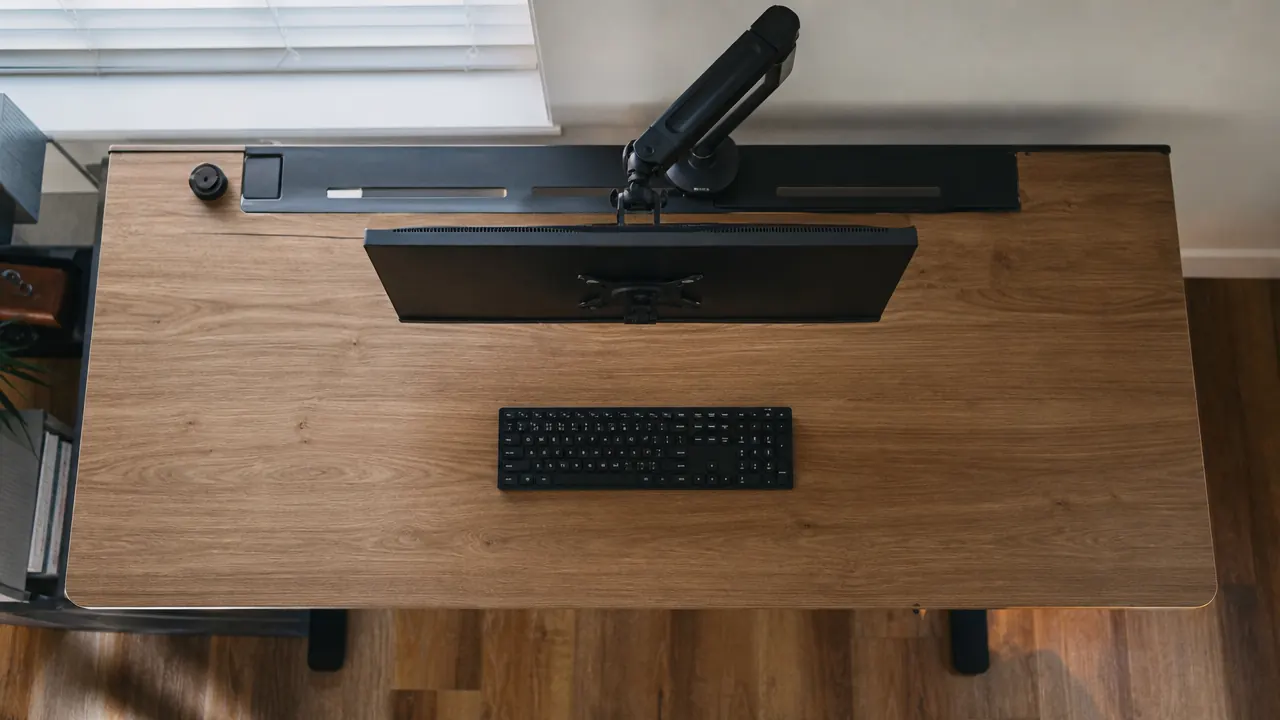
Second: cable management. The ErGear 48-inch surface gives you enough room for a monitor, keyboard, and a few accessories without feeling cramped. But cables hanging from a fixed desk do not politely move with you. Before you commit to your standing routine, route your monitor cable and any USB connections so they have enough slack to follow the desk through its full height range without pulling. A basic cable management tray clipped to the back rail solves this in twenty minutes. A clean surface means you are not dealing with a tangle every time the desk rises, which is one more small friction point that can quietly kill a habit.
Step 5: Track Your First 21 Days Without Judging the Numbers
Habits take longer than 21 days to fully automate, despite what the pop-psychology version of that statistic claims. But 21 days is a useful milestone because it is long enough to identify whether your schedule is realistic and short enough to feel achievable. For the first three weeks, keep one simple log: a note on your phone or a sticky note on your monitor. Each day, write a checkmark when you stood at least once. Not how long. Not how many times. Just once.
This removes the pressure of a perfect score and keeps you in the game on the days you finish a late shift exhausted and barely sat down at your desk at all. On week four, look back at your checkmarks. Most people find they have a few natural dips, usually around day 5, day 12, and day 17 as the novelty wears off. Now you know your weak spots and can plan around them. Maybe you set a second trigger on those days. Maybe you give yourself permission to do a five-minute standing session on a hard day and call it good. Sustainable beats perfect every time.
What Else Helps
The standing desk routine is the foundation, but a few surrounding habits make it dramatically more effective. Good footwear matters more than most desk guides admit. The difference between worn-out sneakers and a supportive shoe can be thirty extra minutes of comfortable standing per day. If you are working in socks or in shoes with no arch support, your feet will be the limiting factor long before your back is.
Monitor height is the other lever. When you transition from sitting to standing, your eyes should still land in the top third of your screen without tilting your head. If your monitor is on a fixed stand, it will be too low when you stand and you will crane your neck to compensate. A monitor arm that travels with the desk's height change keeps your sightline consistent and removes one more physical reason to avoid standing. The combination of a properly set ErGear and a well-positioned monitor arm is the setup most people with chronic neck tension describe as the thing that finally helped.
Hydration sounds obvious but it is worth naming: people who stand more tend to move more and move to refill their water more, which compounds the benefit. Keep a water bottle on the desk. The micro-movement of walking to a kitchen to refill it is actually useful but the bottle on the desk ensures you are drinking without breaking your standing window.
If you want more detail on why standing desks improve energy and focus beyond the ergonomic benefits, the breakdown at the link below covers ten specific mechanisms. And if lower back pain is part of why you got the desk in the first place, the companion guide on that topic walks through the chair setup, posture fixes, and movement habits that work alongside a sit-stand schedule rather than in place of it.
Three weeks from now your desk could already feel like a habit, not an experiment.
The ErGear electric standing desk (48x24 inches, four memory presets, whisper-quiet motor, 5-year warranty) is the tool this routine is built around. With over 11,000 verified reviews and a 4.5-star rating, it is the most reliable entry-level electric desk we have tested at this price point.
Amazon Check Today's Price on Amazon →